Introduction
AeroPanel – Bootstrap 5 Admin Dashboard Template is a modern, responsive, and developer-friendly admin template built using the latest Bootstrap 5 framework.
AeroPanel is suitable for:
- SaaS applications
- Admin dashboards
- CRM & ERP systems
- E-commerce backends
- Analytics & reporting tools
This HTML version does not require any build tools or frameworks. You can start using it instantly by opening the HTML files in a browser.
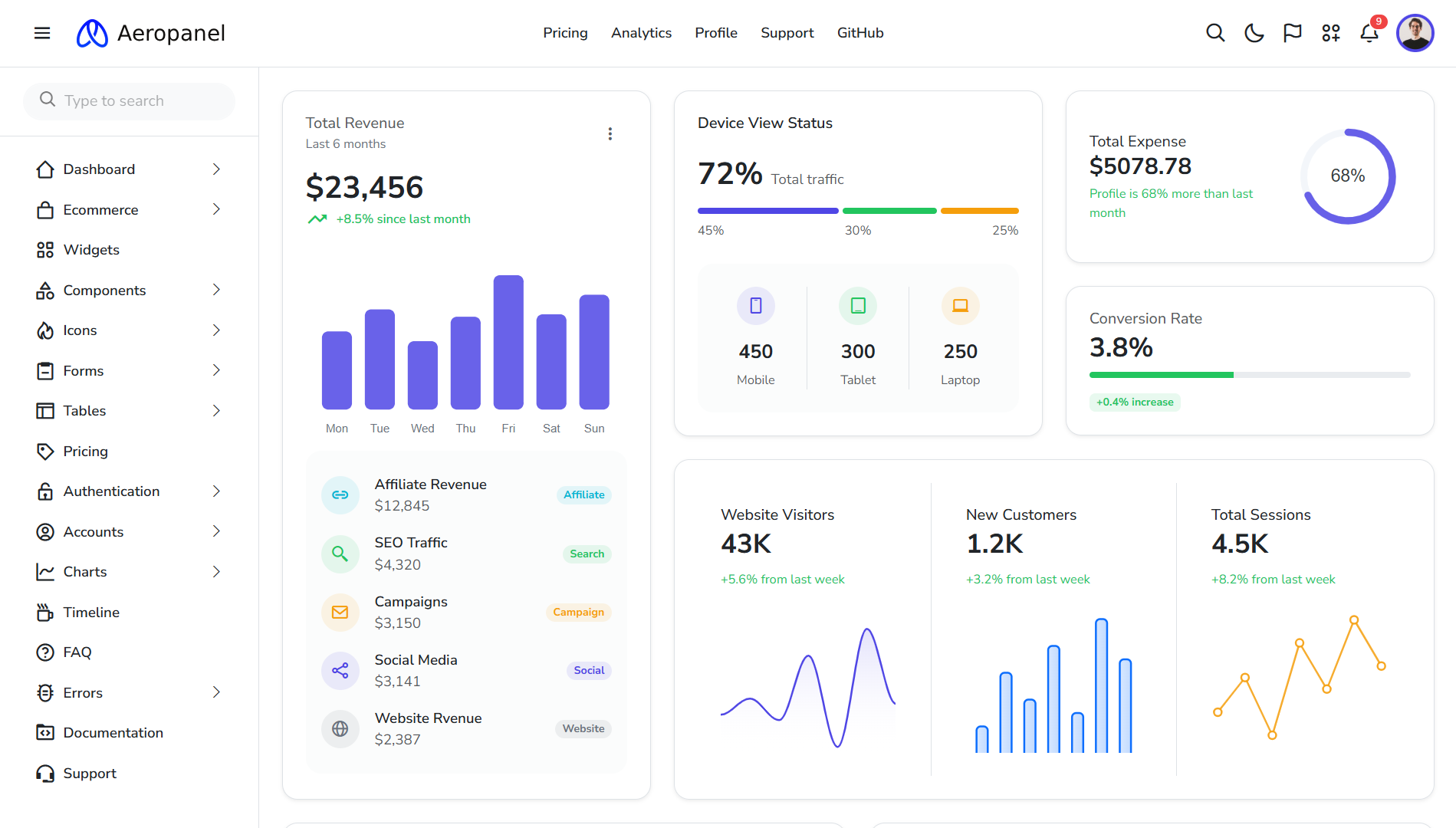
Figure 1: AeroPanel Dashboard Overview
Requirements
To work with AeroPanel HTML, you only need:
- A modern web browser (Chrome, Firefox, Edge)
- Code editor (VS Code recommended)
- Basic knowledge of HTML, CSS, and JavaScript
Folder Structure
AeroPanel/
│
├── assets/
│   ├── css/        → Compiled CSS files
│   ├── scss/       → SCSS source files
│   ├── js/         → JavaScript files
│   ├── images/     → Images & icons
│   ├── plugins/    → Third-party libraries
│
├── pages/
│   ├── dashboard.html
│   ├── users.html
│   ├── settings.html
│
├── index.html      → Main dashboard entry
└── documentation/
    └── index.html  → Documentation
Installation
Step 1: Download & Extract
Download the AeroPanel package from Codervent and extract the ZIP file to your local machine.
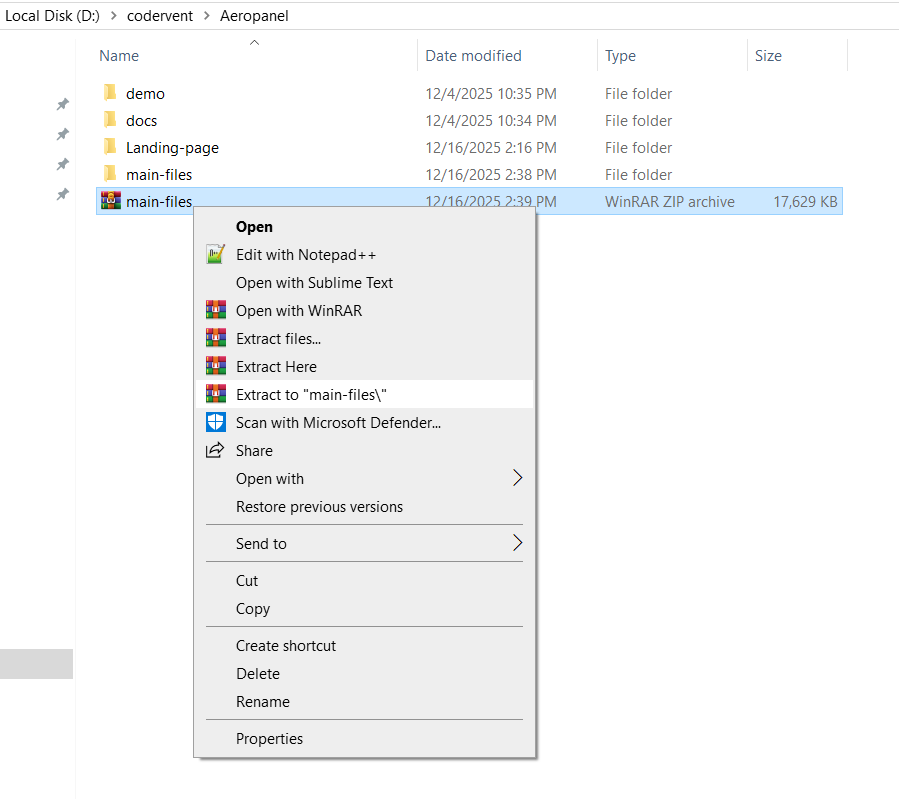
Figure 2: Extracting AeroPanel ZIP package
Step 2: Open in Code Editor
Open the extracted folder in Visual Studio Code or any preferred editor.
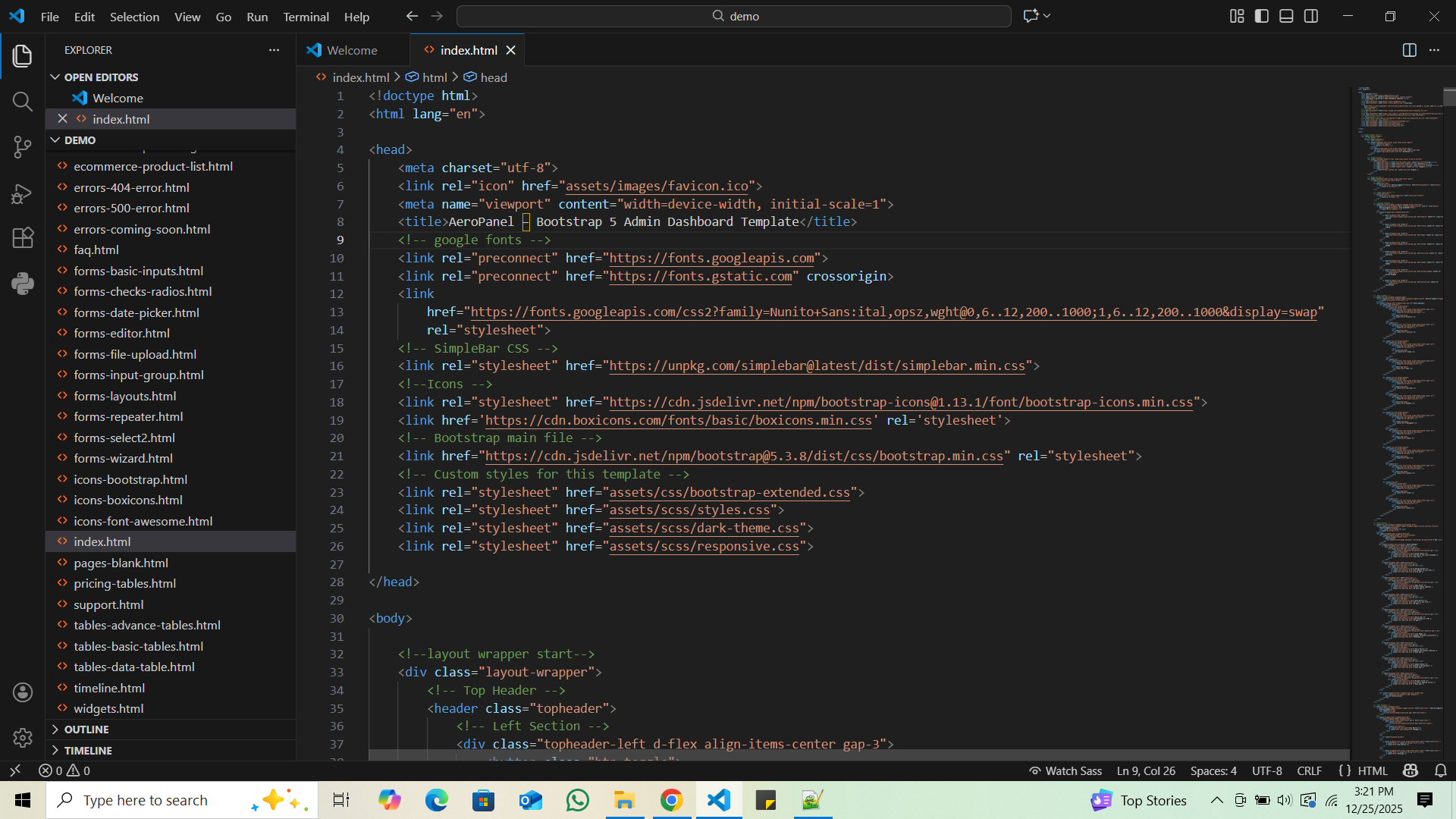
Figure 3: Opening AeroPanel in VS Code
Step 3: Run the Template
Simply open index.html in your browser to view the dashboard.
Customization
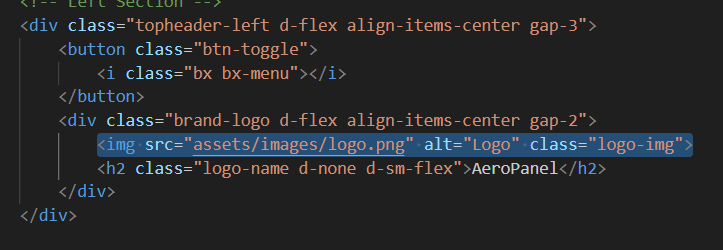
Change Logo & Branding
Replace the logo image inside assets/images/logo.png
and update the sidebar branding text.
Change Theme Colors
Open assets/css/style.css and update CSS variables:
:root {
  --bs-primary: #0d6efd;
  --bs-secondary: #6c757d;
  --bs-success: #198754;
}
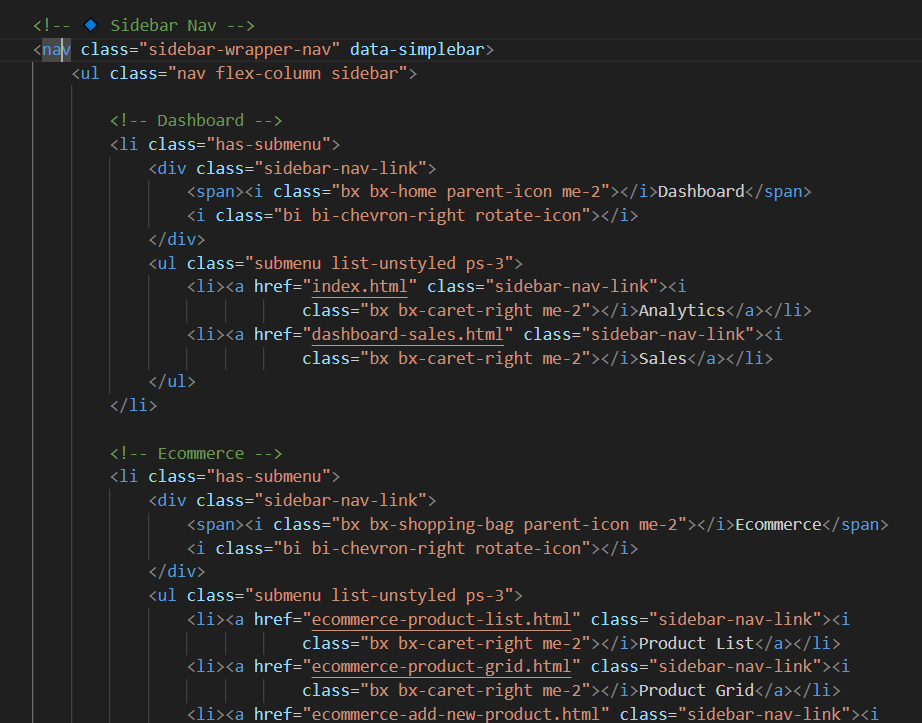
Sidebar & Layout
Sidebar menu items can be edited inside sidebar.html
or directly in index.html depending on layout.
Updating the Template
- Backup your customized files
- Download the latest AeroPanel version
- Replace
assets/folder (except custom files) - Merge updated HTML files carefully
Credits
- Bootstrap 5
- Bootstrap Icons
- ApexCharts
- Chart.js
- DataTables
Support
For support, updates, and feature requests, visit: codervent.com
Changelog
v1.0.0 – Initial Release (HTML Version)